


GPS cable and antenna testing
We test and analyze GPS cables and antennas. We check the low-noise amplifier, the robustness of the installation as a whole and the internal noise figure of GPS LNA amplifiers.
We have specialized professional equipment from Anritsu and Keysight.
GPS installation review
Antenna
- Location: it must be in a place with a clear view of the sky, free of obstructions such as buildings, trees or metal structures.
- Mounting and stability: it must be firmly secured to prevent movement that affects reception.
- Orientation: although GPS antennas are usually omnidirectional, they must be level and in the position recommended by the manufacturer.
Cables and connectors
- Cable type: low-loss coaxial cable suitable for GPS signals, such as RG58, RG174 or LMR400 depending on the distance.
- Length: as short as possible to reduce signal attenuation. If it is long, consider a signal amplifier.
- Condition: check that it has no kinks, cuts or wear on the outer jacket.
- Connectors: properly tightened and free of corrosion. Use quality connectors, such as SMA, TNC or N.
Power supply and GPS equipment
- Correct voltage: verify that the active antenna receives the correct voltage from the GPS receiver (for example: 3.3V, 5V or 12V).
- GPS receiver condition: confirm that it works and receives the signal correctly.
Functional tests
- Satellite reception: use tools such as GNSS View, GPS Test or u-blox u-center to verify the number and quality of the satellites detected.
- Accuracy and stability: verify that the GPS signal is stable and that accuracy is within the expected range.
- Time to first fix (TTFF): measure how long the GPS takes to obtain its first position after power-up.
We verify the time stamp in a GPS-based system: we make sure the GPS receiver delivers data correctly and we check the time messages it sends.
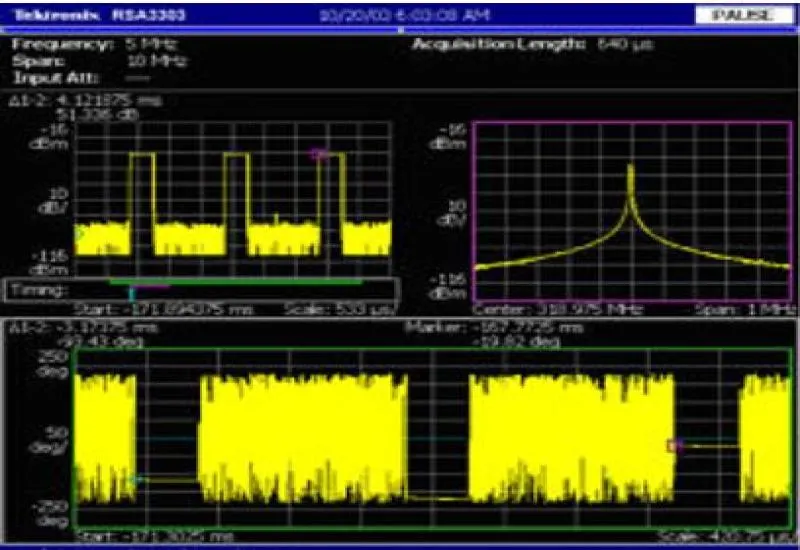
GPS signal analysis with a real-time spectrum analyzer (RTSA)
A real-time spectrum analyzer (RTSA) makes it possible to view and assess the radio frequency (RF) signals of a GPS system in real time. It is useful for detecting interference, assessing signal quality and optimizing the installation.
Spectrum analyzer setup
To analyze a GPS antenna, set the RTSA to these parameters:
- Center frequency: 1575.42 MHz (for GPS L1).
- Bandwidth: at least 2 MHz (may vary with the GPS receiver).
- Resolution bandwidth (RBW): 10 kHz or less for better detail.
- Integration time: short, to capture dynamic signals.
- Display mode: spectrogram or real-time persistence.
GPS signal verification
With the analyzer set up, the GPS signal is observed in the spectrum. What you should see:
- A peak at 1575.42 MHz, corresponding to the GPS L1 signal.
- Possible presence of other signals in the band if there is interference.
- Variations in signal level depending on the environment and the antenna.
How to verify signal strength:
- Measure the power in dBm at the GPS frequency.
- Check for signal fluctuations caused by reflections or interference.
Interference and noise detection
One of the key uses of the RTSA is detecting interference that affects GPS performance. What to look for:
- Spurious signals near 1575.42 MHz.
- Broadband noise, which could indicate interference from nearby electronic equipment.
- Intermittent peaks, which may be signs of intentional interference (jamming).
- Anomalies in the spectrogram, which show frequency changes over time.
What to do if there is interference:
- Identify the source (other transmitters, electronic devices, jammers).
- Use band-pass filters to attenuate unwanted signals.
- Relocate the GPS antenna to a place with less interference.
GPS operation validation
After reviewing the spectrum, verify the performance of the GPS system:
- Compare the received signal with the manufacturer’s specifications.
- Observe the stability of the spectrum under different conditions (movement, location).
- Check whether interference affects the GPS time to first fix (TTFF).
An RTSA makes it possible to detect signal problems and interference and to optimize the installation of a GPS antenna. If there is noise or there are strange peaks in the spectrum, there are probably external interference or installation problems.